
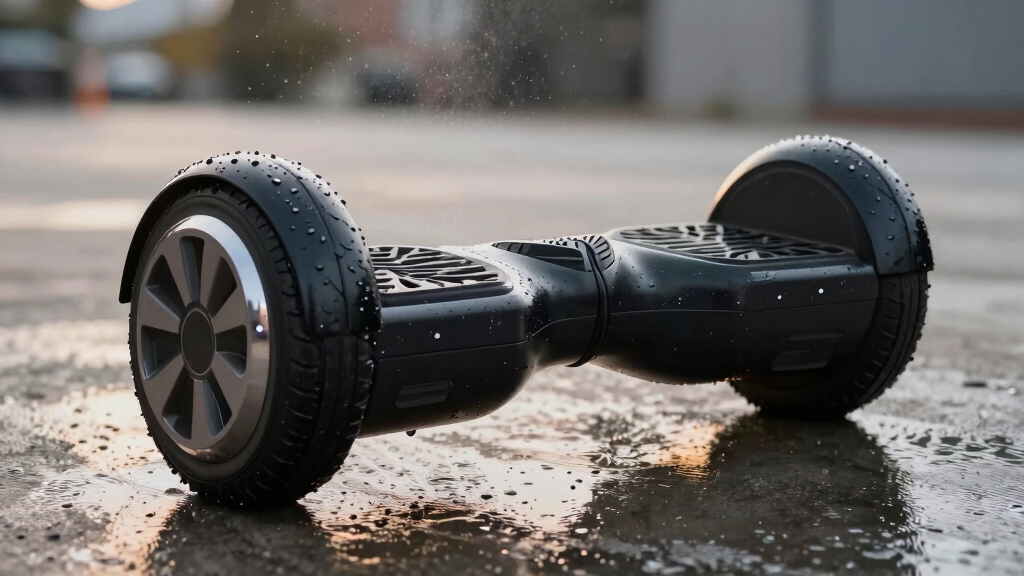
You can get your hoverboard wet only to a limited extent, typically light splashes if it carries an IPX4 or IPX6 rating.
However, riding in rain or exposing it to puddles risks damaging internal components like wiring, battery, and motherboard due to moisture infiltration.
Water exposure may cause short circuits, corrosion, or permanent failure.
If your hoverboard accidentally gets wet, immediate inspection and careful drying are essential.
Understanding these risks and care recommendations helps protect your device.
Key Takeaways
- Most hoverboards have limited water resistance and can only handle light splashes or drizzle, not heavy rain or submersion.
- Riding or exposing a hoverboard to puddles, heavy rain, or wet surfaces risks damaging internal wiring, battery, and motherboard.
- Water exposure can cause short circuits, battery swelling, overheating, and permanent device failure in hoverboards.
- Immediately power off and dry a wet hoverboard thoroughly before use to prevent corrosion and electrical damage.
- Always check the hoverboard’s IP rating and follow manufacturer guidelines; avoid moisture exposure to ensure safety and longevity.
What Do Hoverboard Water Resistance Ratings Mean?

When you consider using a hoverboard in environments where moisture is present, understanding its water resistance rating becomes essential.
Most hoverboards feature an IPX4 rating, meaning they resist splashing water on their exterior but aren’t designed for direct exposure to heavy moisture.
An IPX6 rating offers protection against stronger water jets, such as rain, but only in light conditions.
For brief submersion up to 20 minutes, an IPX7 rating is necessary, though this level is rare and more costly.
Lower ratings like IP44 provide minimal waterproofing, so avoid moisture entirely with these models.
Knowing these ratings helps you assess how much water exposure your hoverboard can tolerate.
Always check the manufacturer’s specifications before use in damp environments to prevent damage.
However, even with these ratings, riding in rain or puddles is generally discouraged due to the risk of water damage.
Is It Safe to Ride a Hoverboard in the Rain?
Before you hop on your hoverboard in the rain, it’s a good idea to check its water resistance rating. Most models can only handle light splashes or a bit of drizzle.
If you ride it in heavier rain, you risk damaging the internal components, like the wiring and battery. That could lead to short circuits or even corrosion, which isn’t great for your board!
Plus, manufacturers usually recommend avoiding wet surfaces altogether. It’s all about keeping you safe and ensuring your hoverboard lasts as long as possible.
To protect your hoverboard, it’s important to dry and inspect it after exposure to moisture, using techniques like wiping and air drying to prevent corrosion and damage.
Water Resistance Ratings
Although many hoverboards offer some degree of water resistance, their ability to handle rain varies markedly depending on their IP rating.
If your hoverboard holds an IPX4 rating, it can resist splashesesbut isn’t designed for continuous rain exposure.
Models rated IPX6 provide better protection, allowing you to ride in light rain without immediate damage.
An IPX7 rating means the hoverboard can survive brief submersion, but this is uncommon and typically found only in specialized units.
Lower ratings, like IP44, offer minimal waterproofing, so you should avoid wet conditions entirely.
Always check your device’s IP rating before riding in damp environments, as water resistance doesn’t equal waterproofing.
Relying solely on these ratings without caution could still risk damaging sensitive electronics inside.
After riding on damp or wet grass, it is important to perform post-ride inspection and thoroughly dry the hoverboard to prevent moisture-related electrical damage.
Risks of Rain Exposure
Understanding your hoverboard’s IP rating helps gauge its water resistance, but riding in the rain still carries significant risks.
Even models rated IPX4 or IPX6, designed to resist splashes or light rain, aren’t fully waterproof.
Water can infiltrate wiring, the motherboard, and the lithium-ion battery, causing short circuits, overheating, or permanent damage.
Electric motors may malfunction if moisture penetrates seals, leading to erratic performance or failure.
Additionally, exposure to water accelerates corrosion and rust, degrading components over time.
Heavy rain or puddle submersion vastly increases these risks, often resulting in total device failure.
Consequently, despite some water resistance, it’s unsafe to ride your hoverboard in rain conditions.
Prioritize caution to protect your device’s electrical integrity and longevity.
Furthermore, moisture exposure can significantly reduce battery health and charging habits, accelerating capacity loss and shortening overall lifespan.
Manufacturer Riding Guidelines
Manufacturers caution against riding hoverboards in rain due to inherent risks of water damage.
Even models with an IPX4 rating only resist splashing water and aren’t designed for prolonged exposure to wet conditions.
You should avoid riding on wet surfaces, puddles, or in snowfall and hail, as water infiltration can damage wiring, batteries, and electronics.
Hoverboards with higher IP ratings (IPX6 or above) tolerate light rain better but still don’t guarantee safety in heavy rain or submersion.
Always check your device’s IP rating before use in damp environments and follow the manual’s limitations strictly.
Riding in rain risks short circuits, corrosion, and permanent failure.
To preserve your hoverboard’s functionality, err on the side of caution and avoid wet conditions entirely.
Proper storage in dry, cool environments and regular maintenance are crucial for extending the battery lifespan and overall durability of your hoverboard.
How Water Can Damage Your Hoverboard?
When water enters your hoverboard, it can quickly damage critical components like wiring, the motherboard, and the lithium-ion battery. Water intrusion causes short circuits, corrosion, and permanent failure if not addressed promptly.
You should understand the specific risks involved:
- Electrical Damage: Water shorts the delicate circuitry, causing immediate malfunction or permanent damage to the motherboard and sensors.
- Battery Hazards: Lithium-ion batteries can short-circuit, overheat, or even catch fire when exposed to moisture.
- Mechanical Deterioration: Water causes rust on motor components and connectors, leading to degraded performance and eventual breakdown.
Because hoverboards lack full waterproofing, even small amounts of water can compromise safety and functionality. Avoid any exposure to puddles, rain, or wet surfaces to protect your device’s lifespan. Regular wiring inspection and maintenance can help identify early signs of water damage before it leads to a complete failure.
What to Do If Your Hoverboard Gets Wet?
If your hoverboard gets wet, immediately power it off to prevent short circuits and further electrical damage.
Next, disconnect the battery if possible. Avoid turning the device back on until fully inspected.
Carefully remove the casing to check for moisture in the wiring and motherboard. Don’t attempt quick fixes; instead, plan a thorough drying process.
Here’s a concise action checklist:
| Step | Action | Purpose |
|---|---|---|
| Power Off | Shut down immediately | Prevent electrical shorts |
| Battery Removal | Disconnect battery | Avoid further damage |
| Inspection | Open casing, check components | Identify water ingress points |
Because moisture can accelerate battery degradation, it is important to dry and inspect the battery thoroughly before using the hoverboard again.
How to Dry and Repair a Wet Hoverboard?
Although drying and repairing a wet hoverboard requires patience and care, following a systematic approach can help you salvage its functionality.
First, immediately power off the device and disconnect the battery to prevent short circuits.
Next, carefully unscrew the casing and inspect internal components for moisture or corrosion.
Then, dry the affected parts thoroughly by placing them in uncooked rice or using silica gel packets for 12–24 hours, ensuring no residual dampness remains.
- Clean circuit boards and connectors with isopropyl Q-tips after drying.
- Let the chassis air dry openly for at least 24 hours to prevent rust.
- Avoid powering on the hoverboard until you confirm it’s completely dry.
This method minimizes damage, but remain cautious and monitor for any malfunction. For optimal results, ensure all electrical connections are secure and free of corrosion to avoid intermittent power issues.
When to Replace Your Hoverboard Battery or Motherboard?
Successfully drying and cleaning your hoverboard reduces the risk of damage. However, some components may still fail due to water exposure.
You should replace the battery or motherboard if you notice persistent power issues, erratic behavior, or overheating. Lithium-ion batteries exposed to water can short-circuit or swell. Motherboards risk corrosion, leading to malfunctions.
| Symptom | Component to Replace |
|---|---|
| Battery swelling | Battery |
| Power failure | Battery/Motherboard |
| Erratic controls | Motherboard |
If the hoverboard doesn’t power on after drying and inspection or if error codes persist, replacement is necessary. Always use manufacturer-approved parts and follow safety protocols when handling internal components to avoid further damage or hazards. Regularly monitoring battery health with multimeters and BMS data during maintenance can help detect issues early and prevent further damage.
How to Prevent Water Damage to Your Hoverboard?
To keep your hoverboard safe from water damage, it’s a good idea to steer clear of wet or damp surfaces. Riding on those can really increase the risk of harming the internal components.
Also, when it comes to storing your hoverboard, make sure you keep it indoors. That way, it’s protected from moisture and humidity, which can lead to corrosion and electrical issues.
Oh, and don’t forget to regularly check the seals! Following the manufacturer’s guidelines is a great way to ensure your hoverboard stays in top shape and remains protected from water damage.
Additionally, regular cleaning to remove dirt and moisture is essential to prevent corrosion and electrical damage caused by exposure to water.
Avoid Wet Surfaces
Many hoverboards carry water-resistant ratings that only tolerate minimal moisture exposure. You should strictly avoid riding on wet surfaces.
Water can infiltrate the internal wiring, battery, and motherboard, causing short circuits, corrosion, or permanent failure.
To prevent damage, follow these key precautions:
- Avoid puddles, standing water, and damp ground to prevent water ingress into sensitive components.
- Refrain from using your hoverboard in rain, snow, or icy conditions, even if it has an IPX4 rating or higher.
- Inspect seals and protective casings regularly for wear or damage that could compromise water resistance.
Proper Storage Practices
Following strict avoidance of wet surfaces, proper storage plays a key role in protecting your hoverboard from moisture damage over time.
Store it indoors, away from humidity, and avoid basements or garages prone to dampness. Use a sealed container or cover to prevent dust and moisture infiltration.
Regularly inspect seals and charging ports for wear.
| Storage Environment | Recommended Conditions | Risks if Ignored |
|---|---|---|
| Indoor Room | Dry, ventilated | Moisture buildup |
| Sealed Container | Dust/water protection | Condensation |
| Avoid Damp Areas | No basements/garages | Corrosion, rust |
| Temperature Range | 10°C to 25°C | Battery degradation |
| Regular Inspections | Check seals, ports | Water ingress unnoticed |
Adhere strictly to these practices to extend your hoverboard’s lifespan and prevent water damage.
Is a Water-Resistant Hoverboard Worth It?
Although water-resistant hoverboards offer improved protection against moisture, their value depends on how and where you plan to use them.
If you frequently ride in damp or unpredictable environments, investing in one with an IPX6 or higher rating can reduce risk.
However, these models typically cost more and still don’t guarantee immunity from heavy rain or submersion.
Consider these points before deciding:
- Usage Environment: Light drizzle or splashes are manageable with IPX4/IPX6, but avoid puddles and heavy rain.
- Cost vs. Benefit: Higher water resistance increases price; evaluate if your conditions justify it.
- Maintenance Requirements: Water-resistant doesn’t mean waterproof; regular inspection and cautious use remain essential.
Ultimately, a water-resistant hoverboard offers moderate protection but requires you to stay vigilant to prevent damage.
Frequently Asked Questions
Can I Use a Waterproof Case for My Hoverboard?
You can use a waterproof case for your hoverboard, but make sure it’s specifically designed to accommodate the board’s size and ventilation needs.
A properly sealed case helps protect against splashes and light rain but won’t guarantee full waterproofing, especially against submersion.
Always verify the case’s IP rating and avoid riding in heavy rain or through puddles.
How Does Humidity Affect Hoverboard Performance?
Humidity can cause internal condensation in your hoverboard, leading to corrosion on wiring and circuit boards.
This moisture buildup risks short circuits and sensor malfunctions, reducing performance and safety.
You should avoid using your hoverboard in high-humidity environments, as prolonged exposure can degrade battery life and motor efficiency.
Always store it in a dry place and inspect seals regularly to limit moisture ingress and maintain peak functionality.
Are Hoverboard Chargers Water-Resistant?
Chargers commonly carry cautious construction, but they’re not completely waterproof. Most hoverboard chargers offer minimal moisture resistance, designed primarily for dry, indoor use.
Water or wetness can cause corrosion, short circuits, or catastrophic charger failure. You shouldn’t submerge or expose chargers to rain or spills.
Always check your charger’s specifications for IP ratings. To protect your power source, keep it dry, store it safely, and avoid damp environments.
Can Water Damage Void My Hoverboard Warranty?
Yes, water damage can void your hoverboard warranty.
Manufacturers typically exclude damage caused by exposure to moisture, as it leads to corrosion, short circuits, and battery failure.
If your hoverboard shows signs of water ingress, such as rust or electrical faults, warranty claims are often denied.
To protect your warranty, avoid riding in wet conditions, follow IP rating guidelines, and promptly address any moisture exposure with proper drying and inspection.
What Cleaning Products Are Safe for Wet Hoverboards?
When wiping wet hoverboards, wield water-wary wipes wisely.
Use isopropyl alcohol with a soft, lint-free cloth or Q-tips to clean circuits cautiously.
Avoid harsh household cleaners or abrasives that can corrode components.
Mild soap diluted in distilled water suits exterior surfaces, but never saturate internal parts.
Always power off and disconnect the battery before cleaning.
Precision and prudence protect your hoverboard’s performance and prevent costly damage.
Keep Your Hoverboard Safe: Water Precautions That Matter
You shouldn’t ride your hoverboard in heavy rain. Avoid exposing it to puddles and pay attention to signs of water damage.
Understand water resistance ratings and act quickly if it gets wet. Dry and repair it properly to prevent further issues.
Replace damaged batteries or motherboards promptly. Take care to prevent water exposure and consider water-resistant models for added protection. Staying cautious preserves performance, guarantees safety, and extends your hoverboard’s lifespan.